Training, headsets and results in one panel
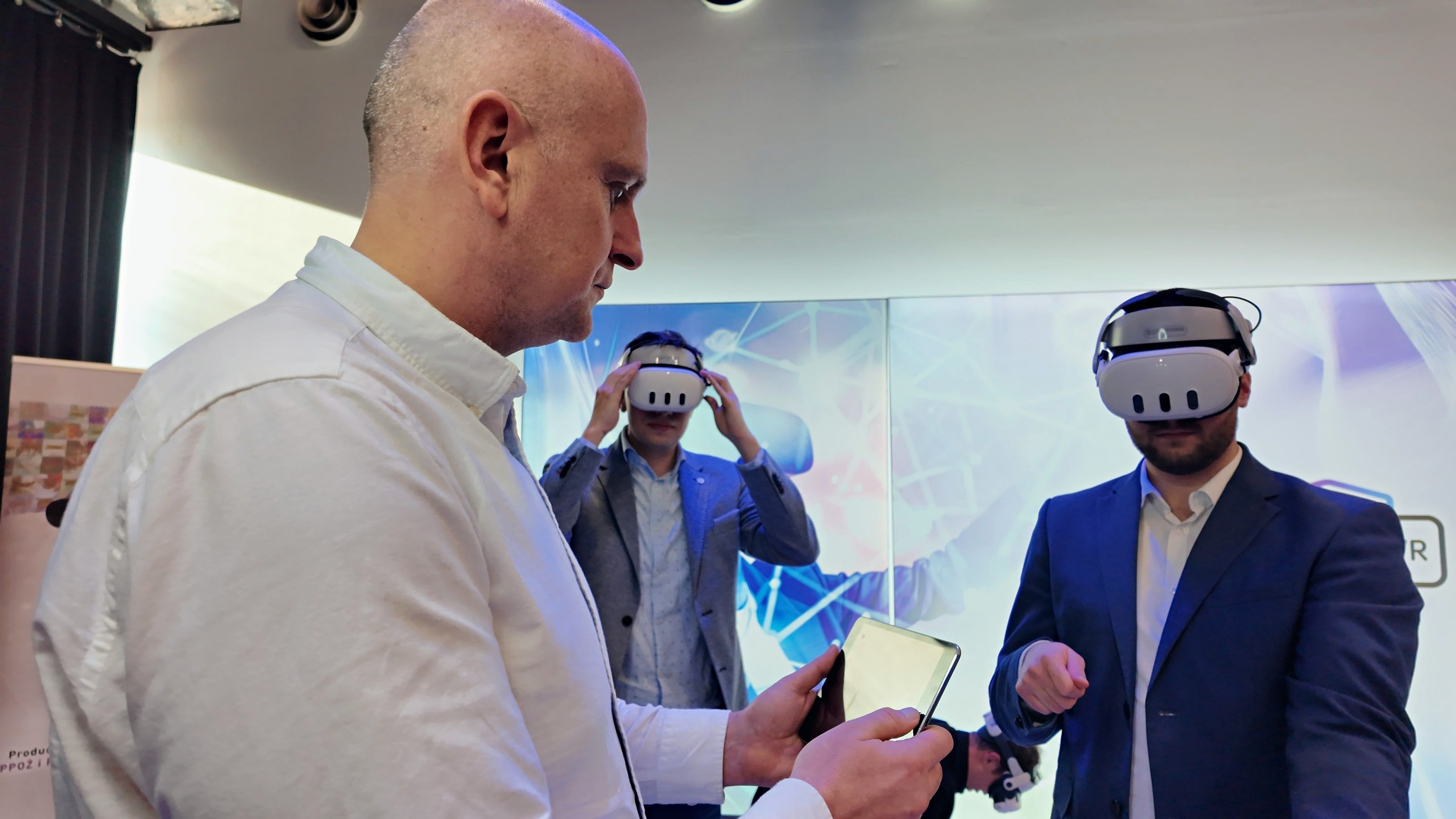
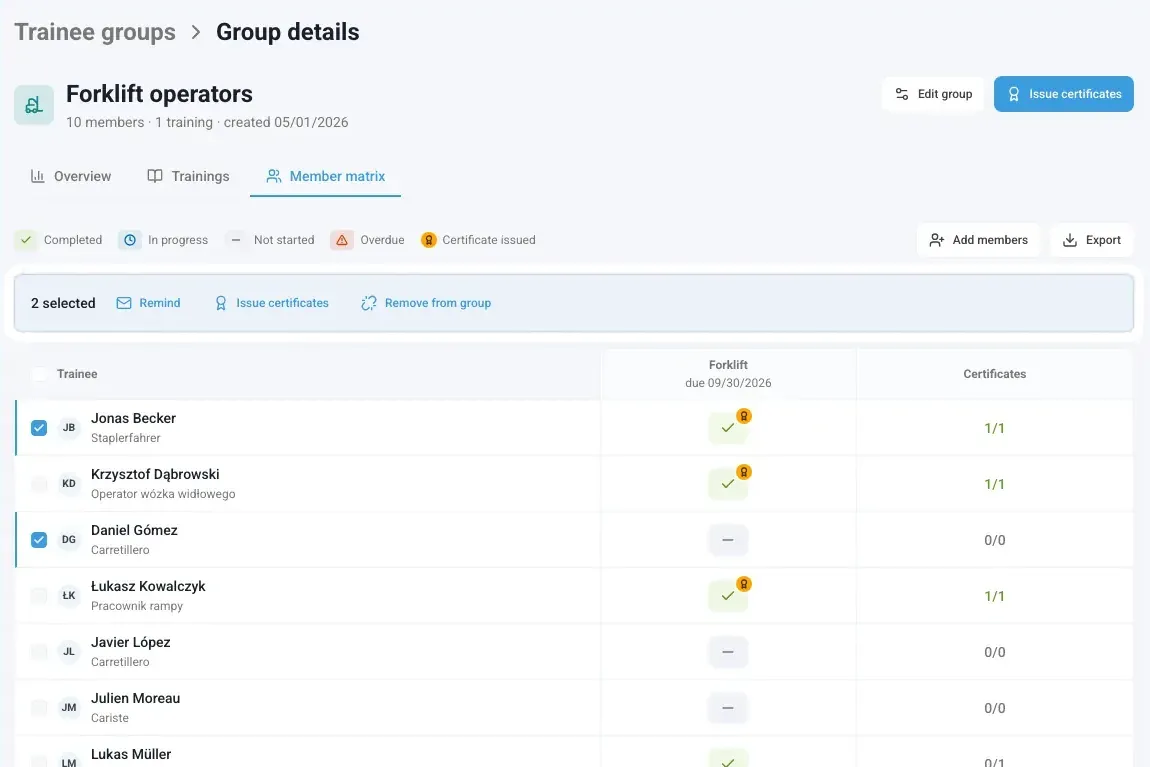
Your people practice in the headset. You see who trained, how it went and what is due next, in the Skillsive panel that comes with every EHS VR plan.
- Results for every person
- PDF and Excel export
- Results for every person
- PDF and Excel export
- Offline up to 3 months
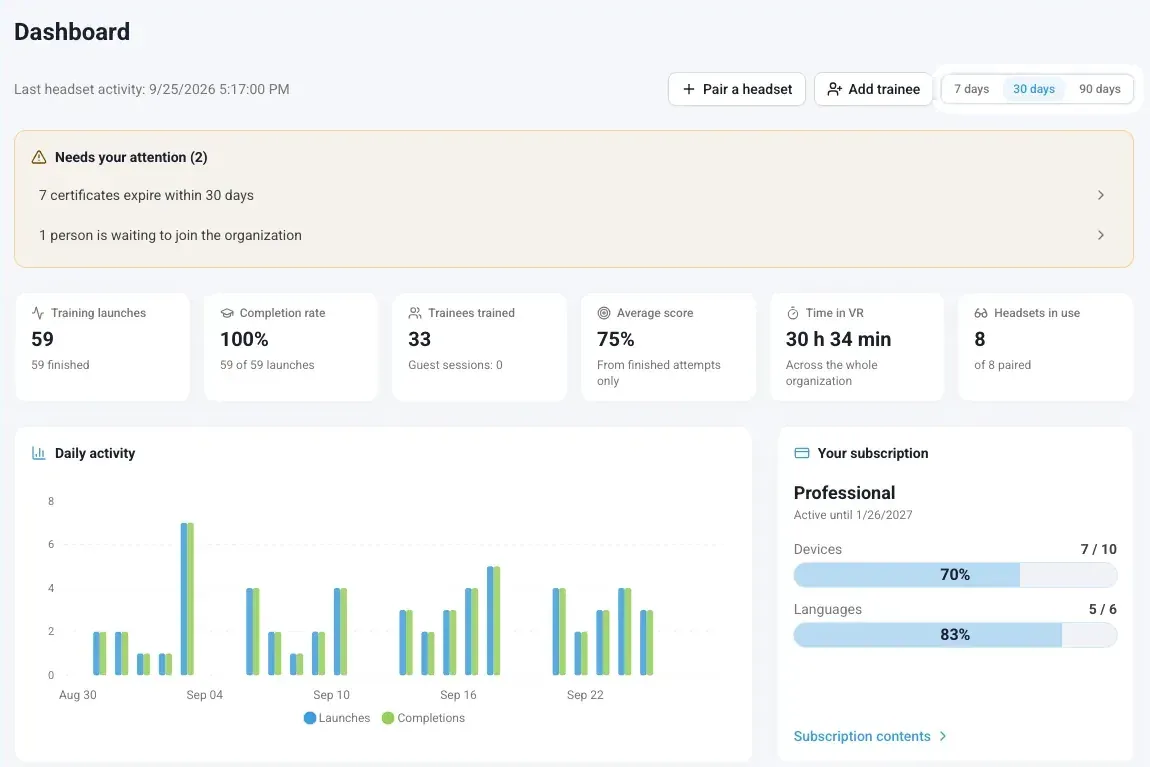
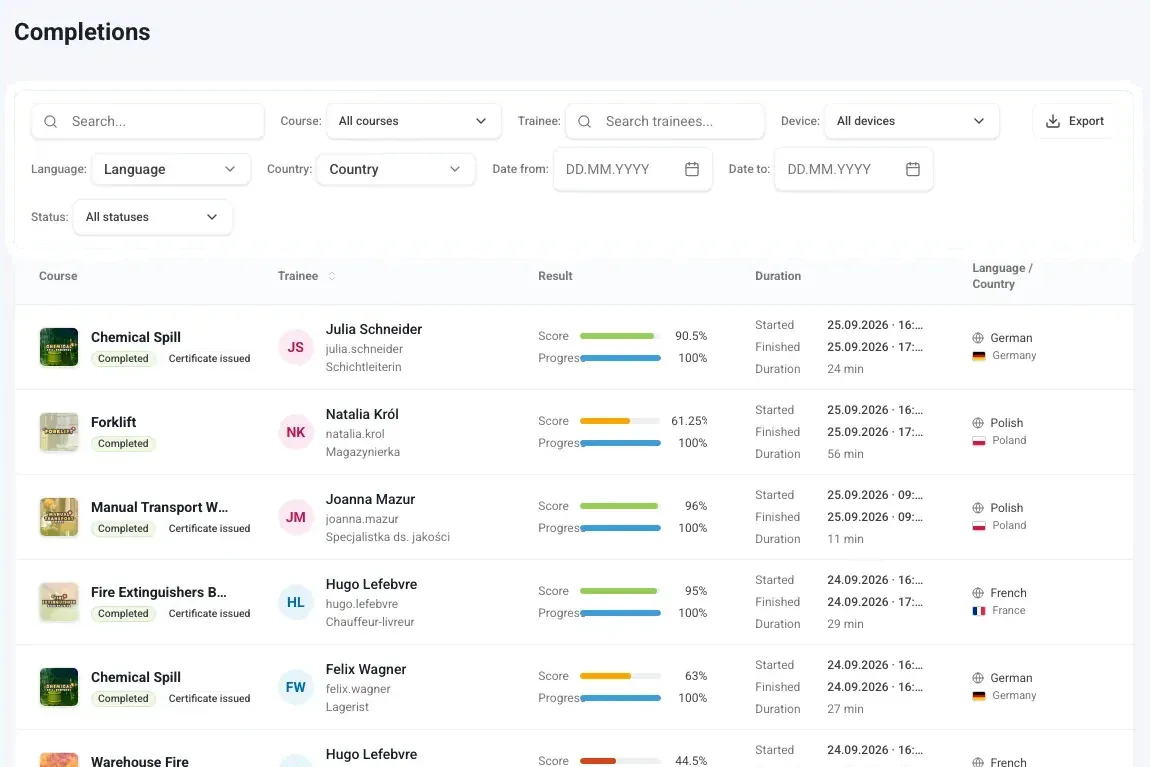
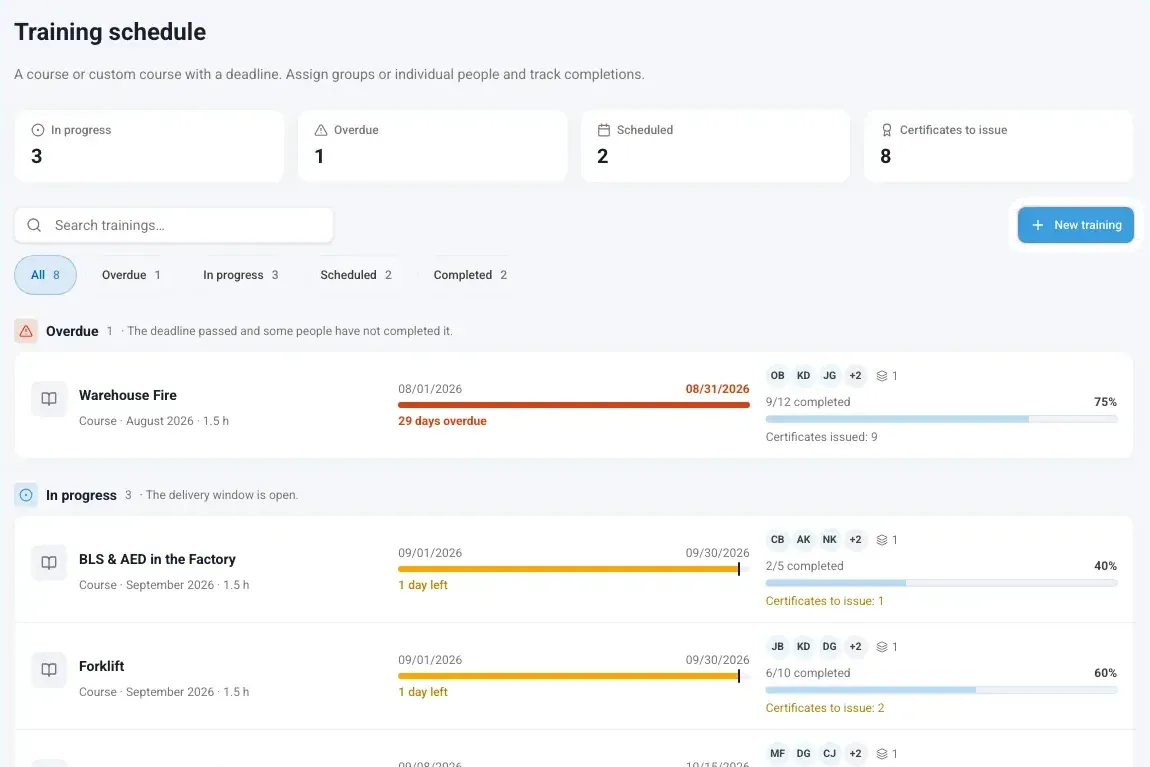
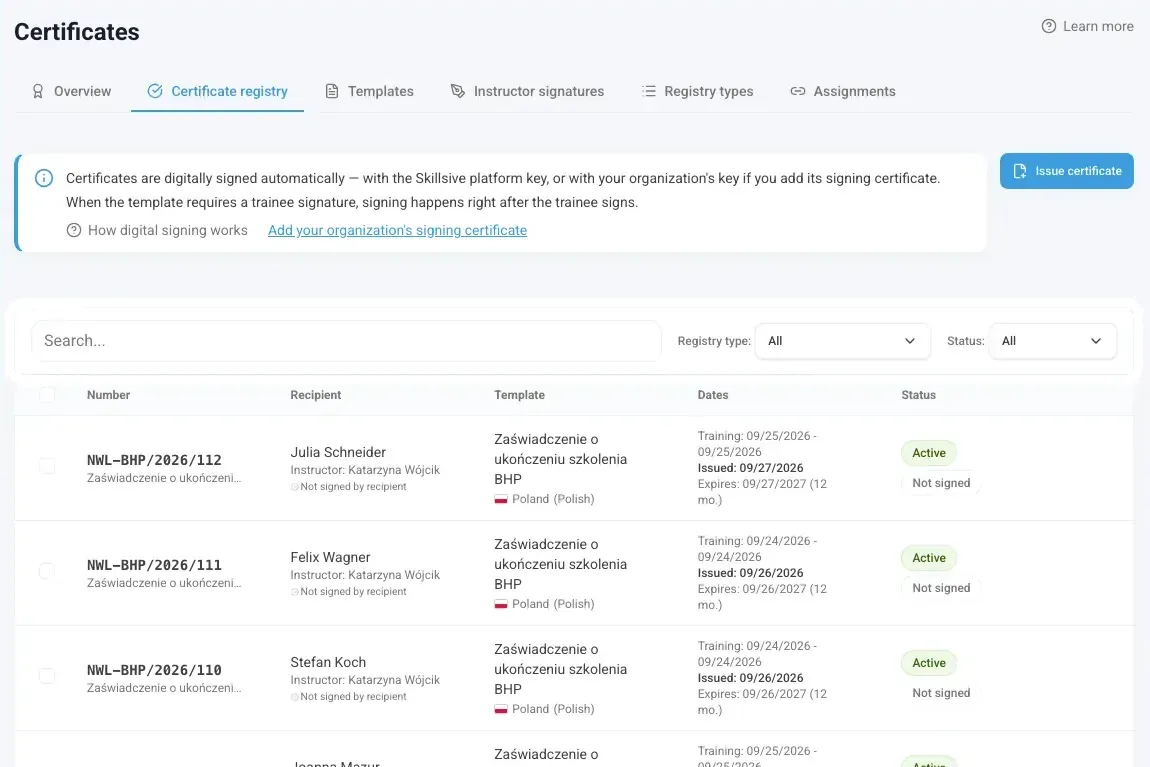
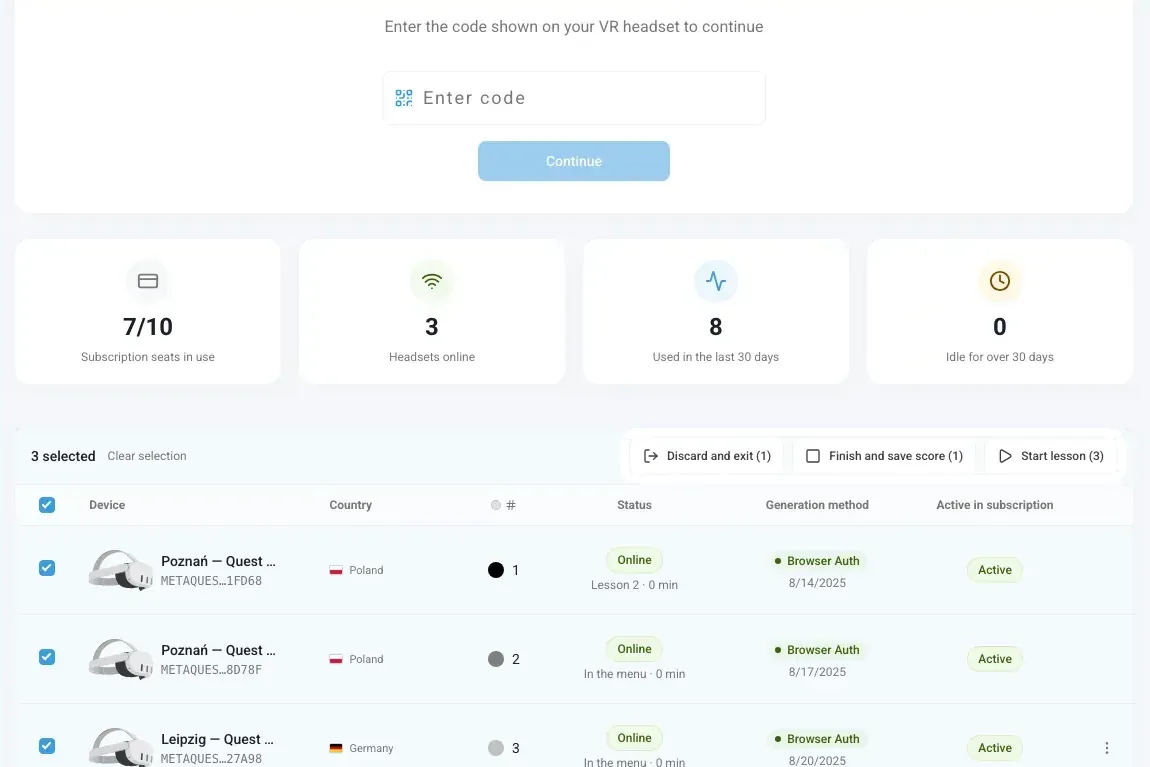
A look inside the panel
Real screens of the panel, filled with the data of a demo organization.
How it fits your training
Pair the headsets
Enter the code shown in the headset and it joins your organization.
Add people
Import a list from a CSV file or add people one by one. A nickname is enough.
Assign training
Pick courses from EHS Academy or build your own from lessons, then set a deadline.
See who is ready
Every session becomes a record with score and time. When the required lessons are done, you can issue the certificate.
Built for the shop floor
- for up to 1 month, or 3 months on Professional. Results sync when the headset reconnects.
- Offline
- licensing, with any number of people on each headset
- Per headset
- certificate check, no account needed
- QR
- Certificates are an optional add-on
Questions about the panel
Is the panel included in every plan?
Do trainees need their own email address?
What happens when there is no internet on site?
Can we keep our current LMS or HR records?
How does someone check a certificate?
Where can I see the whole platform?
How would you like to start?
I don’t have a headset
We send you a headset with all the apps. You test for 5 business days, and we cover shipping both ways.
Get a test headsetI have my own headsets
Install in a few minutes and test all the apps for 7 days. No card, no commitment.
Test on my headsetsI’d rather talk
30 minutes online: we show you scenarios for your industry and answer your questions about rollout.
Book a call